Skip to content
runlot
The free plan is live

Everything your app needs,
in one place.

Hosting, PostgreSQL, login, file storage, email, and Git repositories in a single project. Ship a Next.js app or a small API without configuring a server.

npm create runlot my-app
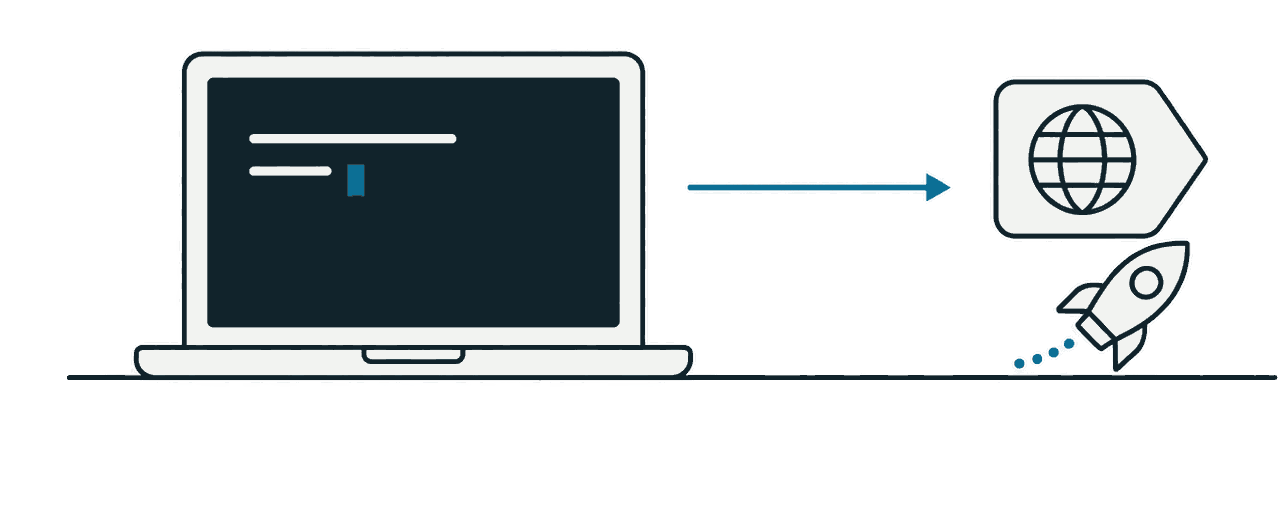
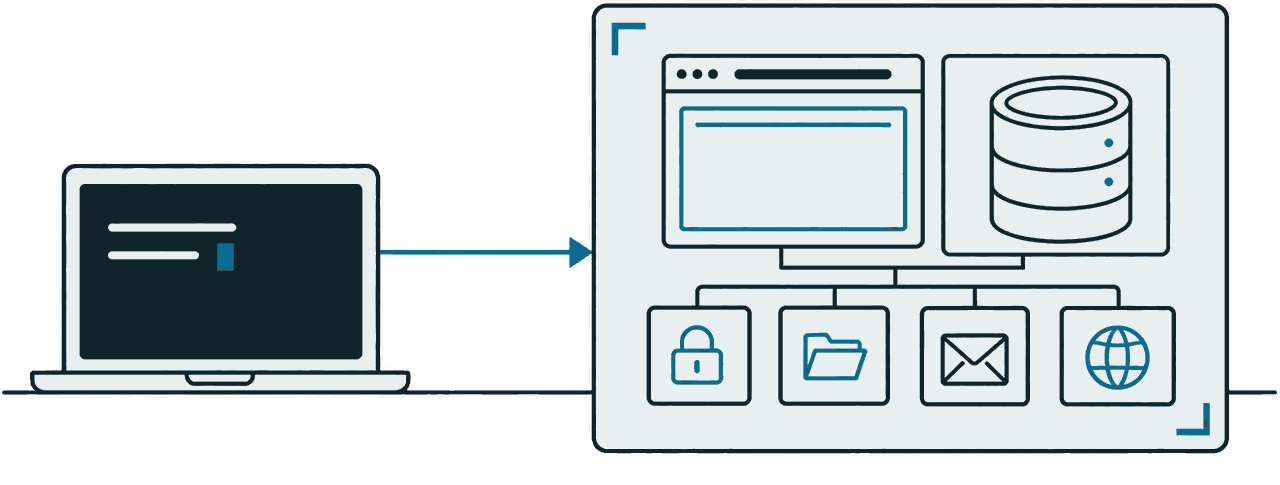
An arrow from a laptop terminal to a single runlot project. Inside the project frame sit the app screen and a database, with login, files, email, and domains in a row beneath them.
project / 001my-app.me.runlot.dev
my-app Deployed

runlot deploy

Bundling…

Bundled 12 files, 84.2 KiB

Uploading… (84.2 KiB)

Deploying…

v3 9f2c… 2026-09-16T04:12Z

https://my-app.me.runlot.dev

Database
PostgreSQL · users 4 rows
Backup
12 min ago · commit 62
Login
Email · GitHub · Google
File storage
2.1 GiB / 10 GiB
Mail address
[email protected]
  • Auth
  • Storage
  • Email
  • Domains
The tools you already knowNext.jsHonoPrismaDrizzleTypeORMKnexSequelizeSvelteKitAstroNuxtReact Router
Get started

Three commands to start

Create it, deploy it, add what you need. After installing the CLI and logging in, these three commands are all it takes.

  1. 01

    Create

    $ npm create runlot my-app

    Pick Next.js, Hono, or a static site. The runlot.json and the rest of the setup are already in the template.

  2. 02

    Deploy

    When the deploy finishes you get a URL that already works.

    $ runlot deploy
    https://my-app.me.runlot.app

    my-app is the project and me is your personal organization.

  3. 03

    Declare features

    One line each in runlot.json, and the deploy creates them. Your app code reaches them through env.

    {
      "database": true,
      "auth": true,
      "storage": true,
      "email": true
    }
    env.db
    Real PostgreSQL
    env.auth
    Login
    env.storage
    File storage
    env.email
    Email

    There is no command to turn them on. Declare only the ones you need.

Features

It is all here

Create a project and the rest comes with it. There is nothing to sign up for separately and nothing to wire together.

Real PostgreSQL

The SQL and transactions you already know. Reach the same database from your app through env.db, and from your terminal through psql, pgAdmin, or the ORM you already use.

$ psql

runlot=# select * from users limit 4;

idnameactive
1jiwootrue
2minseotrue
3haneultrue
4seojunfalse

users · 4 rows

Login

Email and social login with GitHub and Google, plus session handling. Identify the user in your server code with env.auth.user() and control which data they can reach.

File storage

Upload images and attachments through env.storage, and share them through signed URLs that expire. Credentials are never exposed to your worker code.

Email

Every project gets a mail address. Send with env.email.send, and mail sent to that address reaches your worker's email() handler. What went in and out is in the dashboard.

Git repositories

Create a repository inside the project and push over HTTPS or SSH, and the commits and files are right there in the dashboard.

Domains

Add a CNAME and a TXT record to a domain you already own and it is connected. Certificates are issued and renewed for you.

Continuous backups

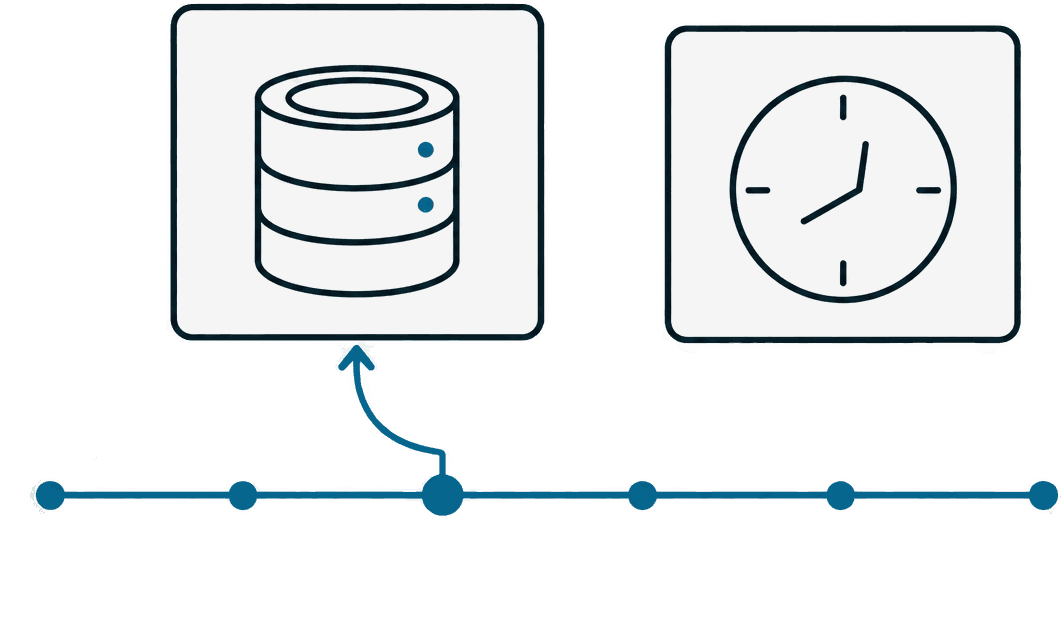
Every commit is shipped, encrypted, about once a minute. Pick any backup, commit, or moment in the dashboard and restore to it.

Idle costs $0

With no requests coming in, your app stops running and starts again on the next one. Your data and settings stay exactly as they were.

src/index.ts
import { Hono } from "hono";import { Pool } from "@runlot/pg"; const app = new Hono<{ Bindings: Env }>(); app.get("/posts", async (c) => {  const user = await c.env.auth.user(c.req.raw);  const db = new Pool({ db: c.env.db });   const { rows } = await db.query(    "select id, title from posts where owner = $1 limit 20",    [user.id],  );  return c.json(rows);}); app.post("/upload", async (c) => {  const form = await c.req.formData();  const file = form.get("file") as File;  const url = await c.env.storage.put("covers/" + file.name, file);  return c.json({ url });}); export default app;
  • env.dbReal PostgreSQL
  • env.authLogin
  • env.storageFile storage
Code

Database, login, and files
straight off env.

No connection strings or API keys to configure. Reach them through env, with the frameworks and ORMs you already use.

  • SQL values are passed safely as placeholders like $1
  • Prisma, Drizzle, Kysely, TypeORM, Knex, and Sequelize are supported
  • Local development uses the same env API
Docs
Compare

One place, instead of wiring several together

The things you used to configure and operate service by service live inside one project.

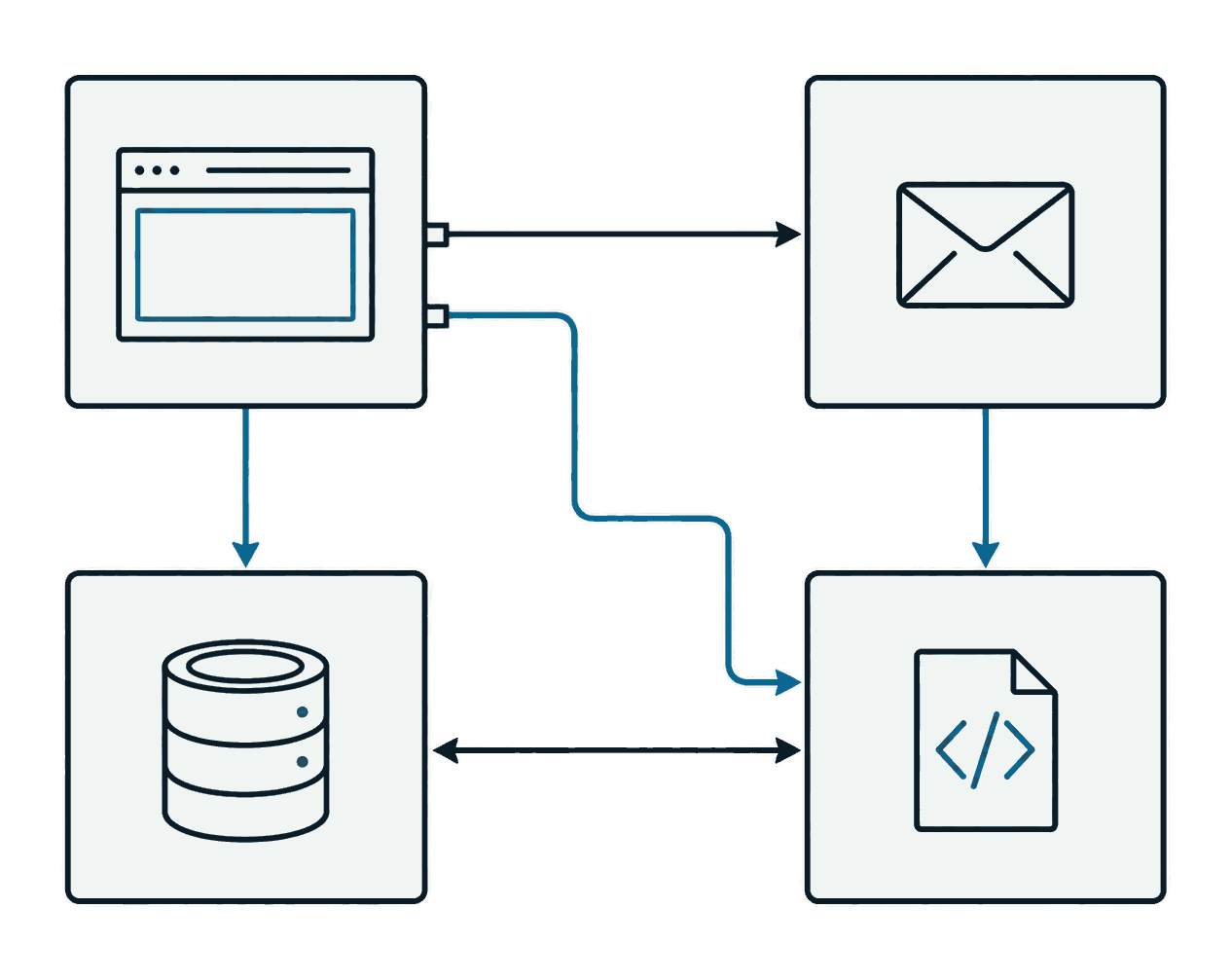
A browser, mail, a database, and code connected to each other by tangled arrows
When you wire services togetherHosting settings · DB connection · mail setup · code hosting, each in its own console
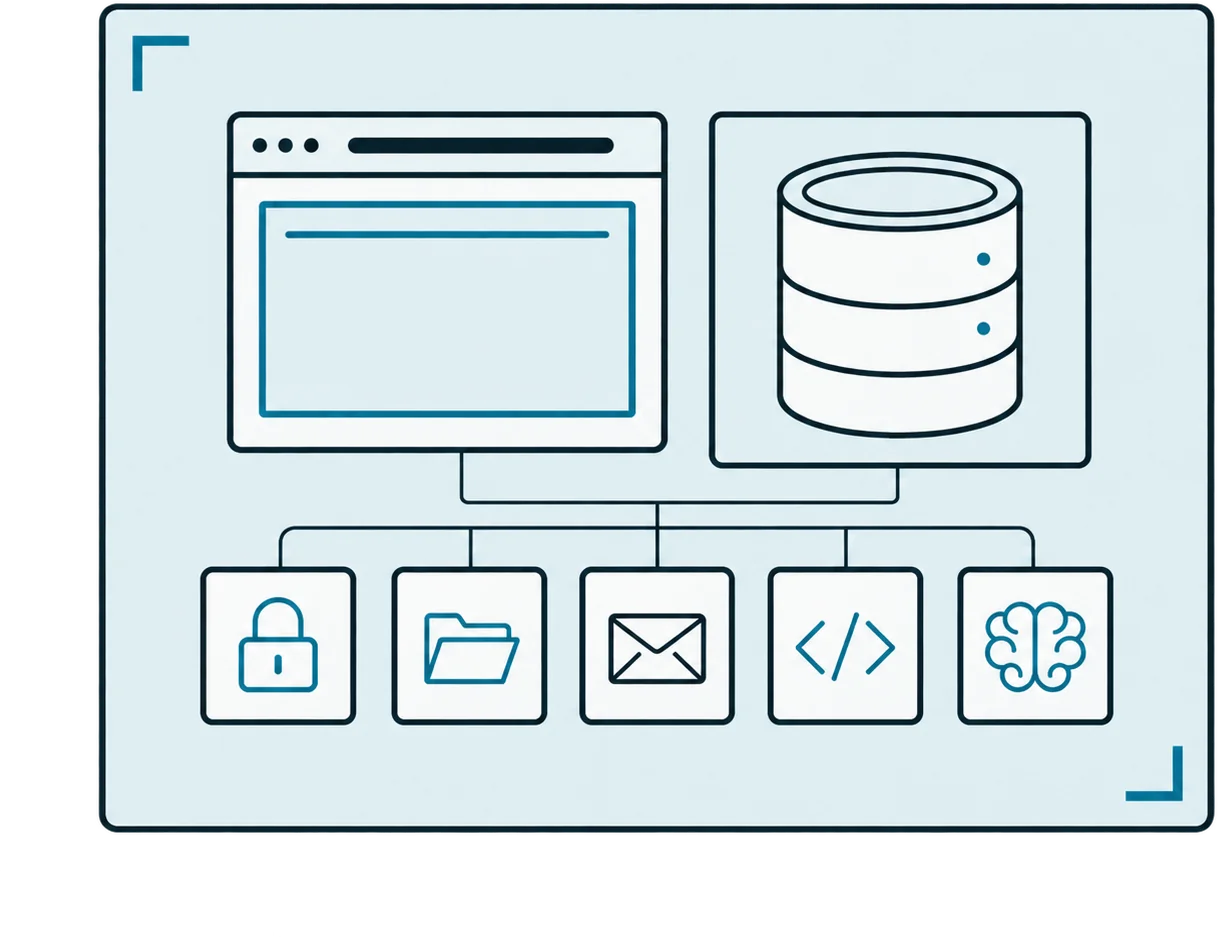
One project frame holding the app screen and a database, with login, files, mail, code, and AI in a row beneath them
A runlot projectApp · PostgreSQL · auth · files · mail · AI · code — access, usage, logs, and backups in one place
  • App hosting

    runlot
    Yes
    Cloudflare
    Yes
    Vercel
    Yes
    Supabase
    No
  • Next.js

    runlot
    Yes
    Cloudflare
    Needs an adapter
    Vercel
    Yes
    Supabase
    No
  • Database

    runlot
    Real PostgreSQL
    Cloudflare
    SQLite (D1)
    Vercel
    Bring your own
    Supabase
    PostgreSQL
  • Login · files

    runlot
    Yes
    Cloudflare
    Partial
    Vercel
    Partial
    Supabase
    Yes
  • While idle

    runlot
    $0 · wakes itself
    Cloudflare
    $0
    Vercel
    $0
    Supabase
    Paused after 7 days · manual restore
  • Fixed cost per project

    runlot
    None
    Cloudflare
    None
    Vercel
    Per seat
    Supabase
    An instance per project
  • Services to run

    runlot
    One
    Cloudflare
    Two or more
    Vercel
    Two or more
    Supabase
    Two or more

Compiled from each service's public documentation and pricing pages as of September 2026. We do not re-check them on a schedule, so tell us if something has changed.

For teams

Deploy what you built at work, as it is

AI coding tools made building an internal tool easy. Deploying it still means asking someone. On runlot, who built it and what data it touches is attached from the start — so there is nothing left to explain to your security team.

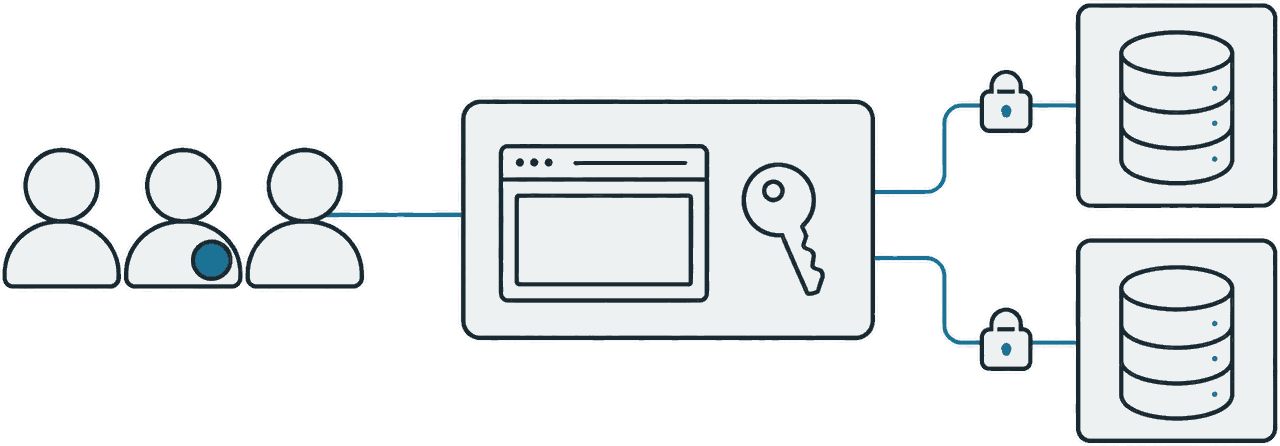
Three members reach one project frame, and that frame connects to two separate databases, one per project, over lines with padlocks
  1. Organizations and roles

    Create an organization and invite people. Admin, member, and viewer roles decide who deploys and who only looks.

  2. Open it to your org only

    Set project access to organization members only and nobody else reaches it. The check runs before your app code does, so you do not rebuild a login screen per app.

  3. A separate database per project

    Dozens of internal tools, each with its own PostgreSQL. The project list tells you which data sits where.

If your data cannot leave the company, an install on your own infrastructure is on the roadmap — talk to us about the timing.

Talk to us about teams
Pricing

Try it free first

Nothing is charged within the free plan — not even with a card on file.

Free

Available now

Enough for personal work and side projects.

$0/ mo

  • 100,000 requests a day
  • 3 projects · 500 MB of PostgreSQL each
  • 7 days of backups · 10 GiB of file storage
  • 1 custom domain per project
Start free

Pro

Solo · small teams

For running what you built on your own domain.

$20/ mo

  • 10 million requests a month included
  • 30 projects — ten times the free plan · 8 GB of PostgreSQL each
  • 30 days of backups · 100 GiB of file storage
  • 50 custom domains per project
  • Usage billed only above what is included, with spending limits on by default
Start Pro

Enterprise

Custom quote

For companies where several people ship internal tools.

Talk to us

  • Annual contract · invoice billing
  • A dedicated support channel and onboarding
  • Self-hosted install — on the roadmap, not available yet
Talk to us
FAQ

Frequently asked questions

Read the docs
What happens when I go over a limit?

On the free plan it never turns into a bill. Requests stop for the rest of that day, and start being served again the next day. On Pro, only usage above what is included is billed, and a monthly spending limit is on by default so it cannot climb past it. We tell you before you get close.

Can I move an app I already built?

Yes. Run runlot deploy from your existing repository. It recognizes the framework and writes the configuration it needs. For the database, a pg_dump file loads straight in.

Can I take my data out later?

Yes. It is standard PostgreSQL, so pg_dump works as it always does. Files are plain objects, and env.storage.presign hands out a signed URL for any of them. Nothing is kept in a format that locks you in.

Which region does it run in?

Seoul, for now — one region. Your app and your database sit in the same place, so a database call never crosses a network. Users far from Seoul will see slower responses. We will announce other regions as they open.

Deploy your first app.

Sign up, then run three commands.